Intermittent Starfield crashes from Adrenalin 26.8.1 are fixed in 26.9.1
What to do first
The RX 9000 Series Starfield crashes that were a known issue in 26.8.1 are listed under Fixed Issues for 26.9.1. Update to 26.9.1 and re-check the scene that used to crash.
Affected products and symptoms
- Product
- AMD Software: Adrenalin Edition / Starfield
- Versions and conditions
- Affected: AMD Software: Adrenalin Edition 26.8.1, Radeon RX 9000 Series / Fixed in: 26.9.1
Symptoms
- Starfield may intermittently crash during gameplay
- The same fixed entry in 26.9.1 also covers intermittent Apex Legends crashes on Radeon RX 9000 Series GPUs
Causes and conditions
AMD first listed this under Known Issues for 26.8.1 and then listed it under Fixed Issues for 26.9.1, without publishing details of the internal cause.
Before you start
- In AMD Software, open Settings > System, record the current version, and note whether you are on 26.8.1 or 26.7.1
- Download the 26.9.1 installer from AMD's official driver download page
- Create a restore point and note your game saves and graphics settings
Precautions
- What AMD lists as fixed is this specific crash entry on Radeon RX 9000 Series GPUs; it is not a statement about other configurations or crashes with a different cause
- Laptops, handhelds, and other systems that require an OEM driver should be checked against the manufacturer's package first
- Keep the installer for your current version so you can return to it if the update introduces another problem
Tools and official pages used in this guide
Select your GPU and OS to obtain the officially distributed installer.
Review the Fixed Issues entry and the conditions it covers.
Review the official utility precautions and download if a clean install is needed.
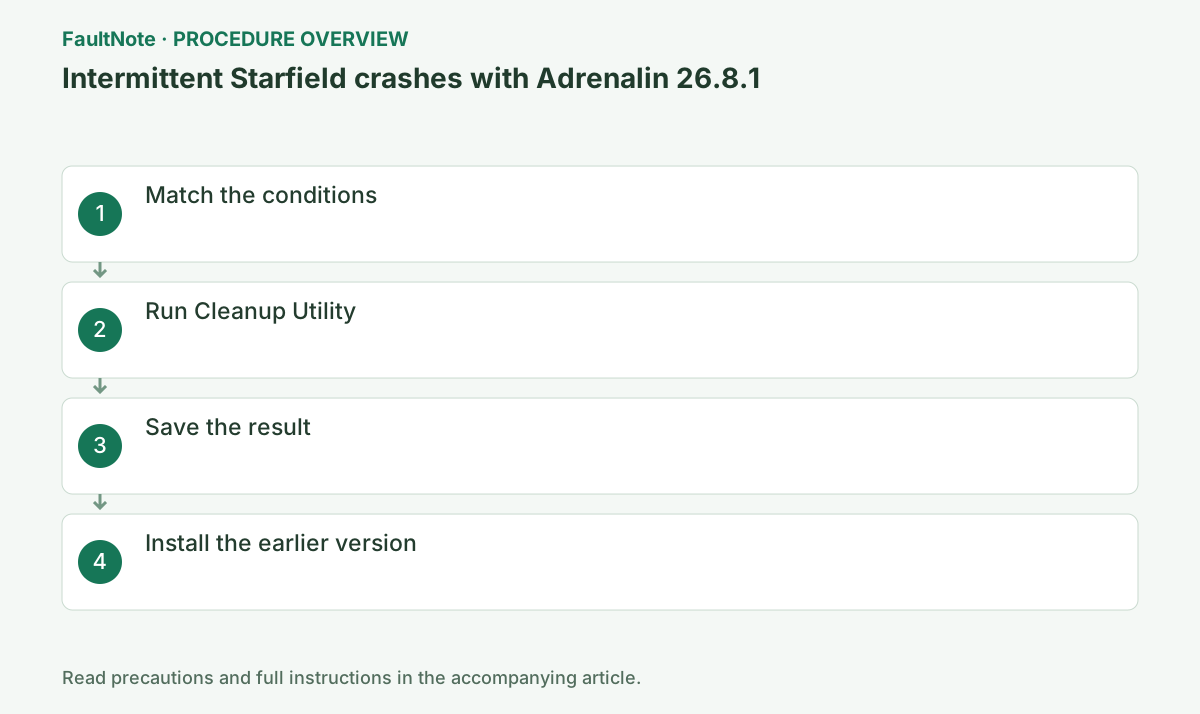
Step-by-step instructions
Confirm that Starfield or Apex Legends crashes intermittently on a Radeon RX 9000 Series GPU.
In AMD Software, open Settings > System to check the current version, and confirm a Radeon RX 9000 Series GPU in Device Manager. If the conditions differ, do not treat this fixed entry as the explanation for your own crashes.
Download Adrenalin 26.9.1 for your GPU from AMD's official driver download page, install it, and restart.
Before updating, close games, capture software, GPU monitoring tools, and other installers. Wait for the completion screen or a specific new error message; do not power off if the display flickers temporarily.
Official links for this step
- AMD Drivers and Support
Select your GPU and OS to obtain the officially distributed installer.
- AMD Software 26.9.1 release notes
Review the Fixed Issues entry and the conditions it covers.
Check before continuingThe official AMD download page or signed installer opens, and its product, OS, and version requirements match this computer.
- AMD Drivers and Support
After the restart, open AMD Software > Settings > System and confirm that it shows 26.9.1.
Also open Device Manager > Display adapters > the GPU > Properties > Driver and confirm the provider and version. If it is not the intended state, do not repeatedly rerun the installer; save Install.log and the latest result.
Check before continuingBoth AMD Software and Device Manager report 26.9.1.
Replay the save and scene that used to crash, several times in a row and with the same graphics settings.
Completion criteria: 26.9.1 is reported and you can get through the scene that used to crash. If it still crashes, do not repeat the same update; follow the next branch: remove the driver with AMD Cleanup Utility, perform a clean install of 26.9.1, and if it still reproduces, submit the configuration and reproduction steps through AMD Bug Report Tool.
Official links for this step
- AMD Cleanup Utility
Review the official utility precautions and download if a clean install is needed.
- AMD Cleanup Utility
Check the result
- AMD Software > Settings > System shows version 26.9.1
- The same save and scene that used to crash can be replayed several times in a row with the same settings
If the problem continues
- If crashes continue on 26.9.1, remove the driver with AMD Cleanup Utility and perform a clean install of 26.9.1
- If it still reproduces, submit the configuration and reproduction steps through AMD Bug Report Tool. A Fixed Issues entry in 26.9.1 does not mean every cause of a similar symptom is resolved
Fix status
Resolved — The release notes for AMD Software: Adrenalin Edition 26.9.1 (Article Number RN-RAD-WIN-26-9-1, last updated September 3, 2026) list intermittent Starfield and Apex Legends crashes on Radeon RX 9000 Series GPUs under Fixed Issues. The entry carried under Known Issues for 26.8.1 is therefore treated as fixed in that release, and the earlier 26.7.1 rollback was interim guidance until a fixed release shipped.
Frequently asked questions
Is it a problem to stay on 26.7.1?
There is no urgency if the system behaves well, but AMD lists this crash as fixed in 26.9.1. Because 26.7.1 was offered only as interim guidance until a fixed release shipped, updating to 26.9.1 and re-checking the same scene is normally the better option.
Official sources and dates
- AMD Software: Adrenalin Edition 26.9.1 Driver Release Notes ↗
- Adrenalin 26.8.1 Release Notes ↗
- AMD Cleanup Utility ↗
Source publication or resolution date: 2026-09-03. Sources checked: 2026-09-06. The check date is not the date the problem first occurred. Interface labels can vary between versions and display languages.
Related troubleshooting guides
AMD Radeon / Adrenalin errors and troubleshooting →
- Smart Access Memory becomes disabled after installing Adrenalin 26.8.1
- Clean and reinstall the graphics driver with AMD Cleanup Utility
- AMD Software Error 1603: troubleshoot the general installation error
- Troubleshoot 173 in AMD Software: Adrenalin Edition