Why Wake on LAN does not wake a shut-down PC: it is the state, not your settings
You set up Wake on LAN, and the machine will not wake once it has been shut down. Re-checking the settings changes nothing. There is an explanation that has nothing to do with settings: Microsoft states that on Windows 10 and later the default shutdown enters the hybrid shutdown, or Fast Startup, state, and that Wake on LAN from there is unsupported, because network adapters are deliberately not armed. This guide was written on 2026-09-21 from Microsoft's support article and sets out which states do work and the order to check them in. Nothing was reproduced on hardware here.
Published · Updated · FaultNote editorial policy
Who this guide is for and what to prepare
- People whose Wake on LAN works in theory but not from a shut-down machine
- People who find it wakes from sleep but not when the power is off
- People planning a remote-wake setup who want the premise checked first
What you need
- Decide how the machine will be left: sleep, hibernate, or shut down
- Be able to reach the network adapter properties in Device Manager
- Confirm the machine is on wired Ethernet — the source describes an Ethernet packet
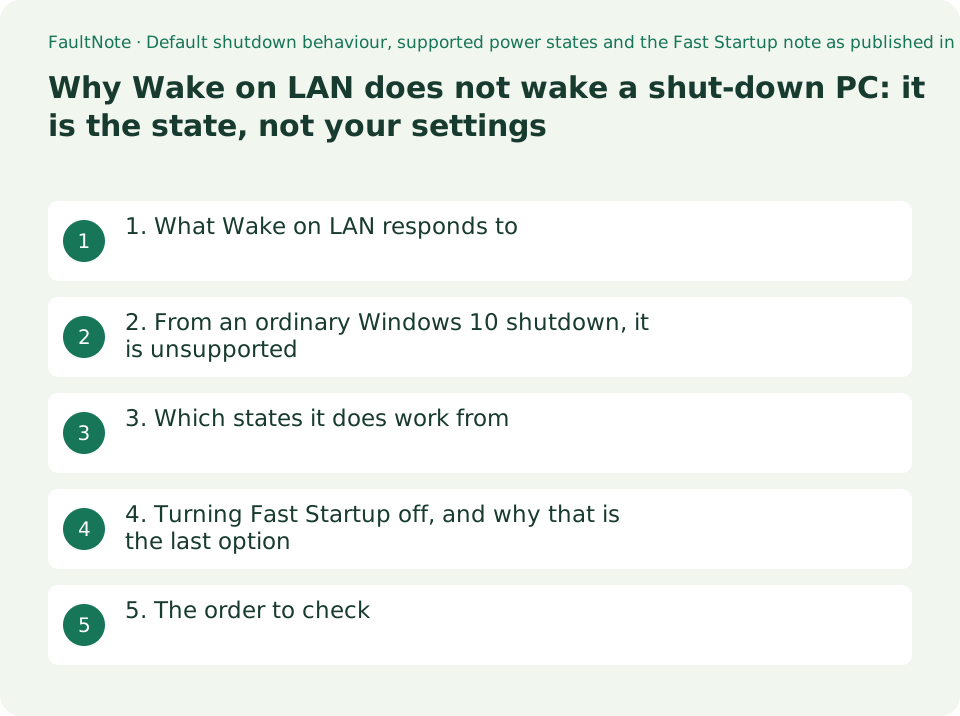
1. What Wake on LAN responds to
Microsoft's KB 2776718 describes it: The Wake on LAN (WOL) feature wakes a computer from a low-power state when a network adapter detects a WOL event. Typically, such an event is a specially constructed Ethernet packet.
Wake on LAN is set up once and then left alone, so when it stops working the instinct is to re-check the configuration. The source sentence above already contains the reason that instinct fails: the feature is defined against a state, and Windows does not leave the machine in the same state every time you turn it off.
The phrase doing the work is low-power state. Several different states look like the machine is off, and which one it is in changes the outcome.
2. From an ordinary Windows 10 shutdown, it is unsupported
Instructions written for an older machine can be followed exactly and still not work, because the default changed between the two versions.
The article records what Windows 10 does: In Windows 10, the default shutdown behavior puts the system into the hybrid shutdown (also known as Fast Startup) state (S4). And all devices are put into D3. In this scenario, WOL from S4 or S5 is unsupported.
And it gives the reason: Network adapters are explicitly not armed for WOL in these cases, because users expect zero power consumption and battery drain in the shutdown state. This behavior removes the possibility of invalid wake-ups when an explicit shutdown is requested.
So this is designed behaviour, not a fault. That is why re-checking the settings never changes anything.
3. Which states it does work from
The same paragraph answers it: So WOL is supported only from sleep (S3), or when the user explicitly requests to enter hibernate (S4) state in Windows 10.
There is a fine distinction underneath that, and it is the interesting part. Hybrid shutdown and hibernate reach the same power state. Microsoft explains why they are still treated differently: Although the target system power state is the same between hybrid shutdown and hibernates (S4), Windows will only explicitly disable WOL when it's a hybrid shutdown transition, and not during a hibernate transition.
The practical answer, then, is not to shut the machine down — sleep it or hibernate it.
That is a change to how the machine is used rather than to any setting, which is why it is worth deciding before opening Device Manager at all.
Scroll horizontally to see the full table →
| How the machine is left | What Microsoft states | Can it be woken remotely |
|---|---|---|
| Sleep (S3) | Named as a state from which WOL is supported | Yes |
| Hibernate, explicitly chosen by the user | Named as supported when the user explicitly requests it | Yes |
| An ordinary shutdown (the Windows 10 default: Fast Startup, S4) | Stated as unsupported from S4 or S5 in this scenario | No |
| Classic shutdown (S5) | Included in the same unsupported statement | No |
| The Windows 7 default shutdown (S5) | Stated as not officially supported in Windows 7 | Not officially |
4. Turning Fast Startup off, and why that is the last option
The article does include steps to disable it, immediately after this line: We don't recommend that you disable the hybrid shutdown (S4) state. This guide does not present it as a recommendation either.
The steps, as published: open Power Options in Control Panel, select Choose what the power buttons do, clear the Turn on fast startup (recommended) check box, and select Save Settings.
Turning it off makes every startup slower. Whether trading daily startup time for remote wake is worth it depends on how the machine is used, and checking first whether sleep or hibernate would serve costs nothing.
There is one more route, stated with appropriate hedging: Note the firmware and hardware on some systems may support arming Network Interface Cards (NIC) for wake from S4 or S5, even though Windows isn't involved in the process. Some machines can do it from firmware. Microsoft says may, and this guide names no model, because none was tested.
5. The order to check
Settle the state question before touching any setting. If that is the cause, no amount of setting changes will help.
What this guide does not cover is the network side. The source says nothing about configurations that cross a router or a switch, or about wireless, and neither was tested here.
Scroll horizontally to see the full table →
| Order | What to look at | How to read it |
|---|---|---|
| 1. Which state the machine is left in | Shutdown, sleep, or hibernate | An ordinary shutdown is stated as unsupported. Stop here if that is it |
| 2. Whether sleep or hibernate would do | How the machine is used, and acceptable idle power | If the routine can change, nothing needs configuring at all |
| 3. The adapter settings | Network adapter properties in Device Manager | Worth checking once 1 and 2 are satisfied, not before |
| 4. Firmware settings | The wake-related entries in your machine's UEFI setup | Microsoft says only that some systems may support it. Check the machine's manual |
| (Last resort) Turn off Fast Startup | Power Options > Choose what the power buttons do | Microsoft does not recommend disabling it, and startup becomes slower |
Limitations and requirements
- Nothing here was reproduced on hardware. The conditions and steps quoted are from Microsoft's published document.
- Microsoft does not recommend disabling hybrid shutdown (Fast Startup), and neither does this guide. Disabling it makes startup slower.
- The source describes Windows behaviour. It says nothing about setups that cross a router or a switch, or about wireless, and neither was tested here.
- The wording quoted was read on 2026-09-21; the page showed a last-updated date of 2026-02-12.
Frequently asked questions
My settings look right but it will not wake from a shutdown.
Microsoft states that the Windows 10 default shutdown enters the hybrid shutdown (Fast Startup) state and that WOL from S4 or S5 is unsupported in that scenario. It is designed behaviour, so revisiting the settings will not change it.
Which states does it work from?
The same page states that WOL is supported only from sleep (S3), or when the user explicitly requests to enter the hibernate (S4) state.
Are Fast Startup and hibernate not both S4?
They reach the same power state but are handled differently. Microsoft states that Windows only explicitly disables WOL on a hybrid shutdown transition, not during a hibernate transition.
Should I turn Fast Startup off?
The steps are on Microsoft's page, but the same page states that disabling hybrid shutdown is not recommended, and startup becomes slower. Check first whether sleep or hibernate would serve.
Can firmware settings get around it?
Microsoft states that on some systems firmware and hardware may support arming the network card for wake from S4 or S5 without Windows being involved. That is machine-dependent, and no machine was tested for this guide.
Sources and verification date
Sources checked: . These sources support the specifications, procedures or prices discussed here. Check each source for applicable conditions and current information.
Related practical guides
- A laptop that drains in your bag may be behaving as designed: Modern Standby against S3
- Mesh Wi-Fi, one router, or a wired access point: backhaul and installation decide it
- Windows has three startup modes: what Fast Startup actually loads
- NAS vs cloud backup: costs, recovery time and maintenance
- CMR vs. SMR Hard Drives: Tell Them Apart by Model Number for NAS, RAID and Backup
- USB-C Monitor Not Working or Stuck at a Low Refresh Rate: Check DP Alt Mode and Lane Allocation