Windows 11 stops updating by version: check yours with winver against the published end dates
Windows 11 is not install-once-and-forget. Each version — the 24H2 or 25H2 label — has its own servicing period, and once it ends the monthly security updates stop arriving for that version. Microsoft's release health page states that Windows 11 has an annual feature update cadence, that feature updates arrive in the second half of the calendar year, and that they come with 24 months of support for Home, Pro, Pro for Workstations and Pro Education. The same table shows Enterprise and Education ending a year later. This guide reads Microsoft's lifecycle page and release health page on 2026-09-20 and sets out the published dates, how to read your own version with winver, and the unusual case of version 26H1, which matters mostly to people buying a new machine. Dates are quoted as Microsoft displays them.
Published · Updated · FaultNote editorial policy
Who this guide is for and what to prepare
- Anyone who wants to know how long their Windows 11 PC will keep receiving updates
- Anyone with a machine that has not been updated in a while and wants to know whether it still qualifies
- Anyone buying a new PC who wants to know what the preinstalled version label means
What you need
- Press Windows+R, type `winver`, and note the version shown (for example 24H2) and the OS build
- Note your edition (Settings > System > About)
- Be able to open your update history (Settings > Windows Update > Update history)
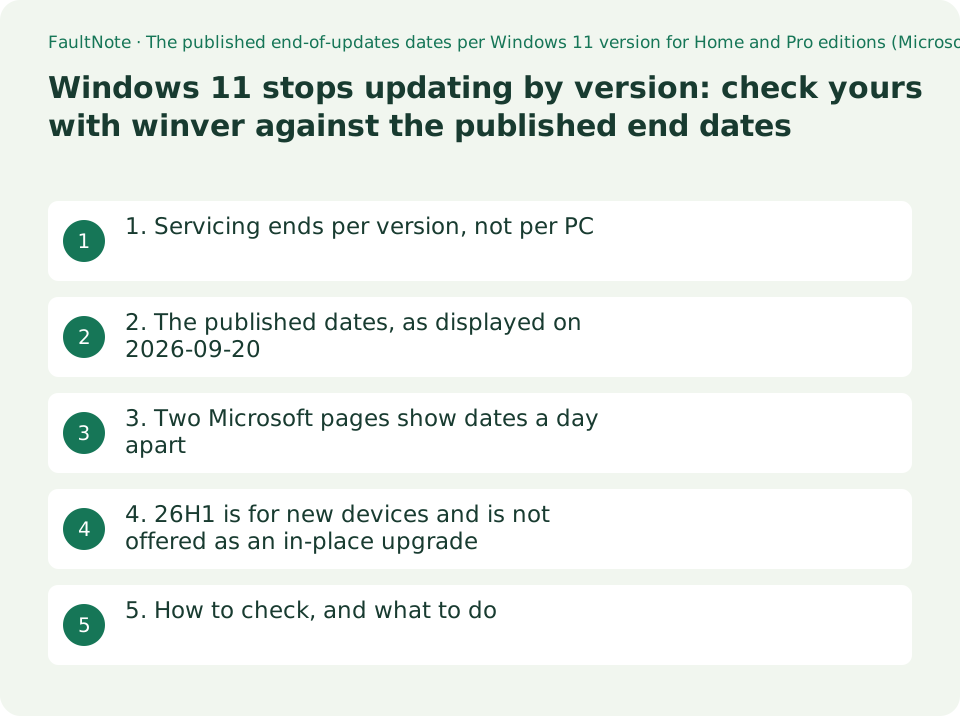
1. Servicing ends per version, not per PC
There are two kinds of Windows 11 update: the monthly security updates and the annual version (feature) update. Microsoft's release health page states: "Windows 11 has an annual feature update cadence. Feature updates are released in the second half of the calendar year and come with 24 months of support for Home, Pro, Pro for Workstations, and Pro E" — an annual cadence, second half of the year, 24 months for the Home and Pro family.
The same page states that monthly security updates are released on the second Tuesday of each month and that these releases are cumulative. When a version's servicing period ends, the machine drops out of that cumulative stream.
Editions differ, and the difference is published. The table splits the end-of-updates column into "End of updates: Home, Pro, Pro Education, and Pro for Workstations" and "End of updates: Enterprise, Education, IoT Enterprise, and Enterprise multi-session", with the second column dated a year later. The same version ends on different days depending on edition.
2. The published dates, as displayed on 2026-09-20
The release health table states that all dates are listed in ISO 8601 format. The values below were read on 2026-09-20.
The row to look at first is 24H2. Its end of updates for the Home and Pro family shows as 2026-10-13 — less than a month from the date this guide was written. A PC still on 24H2 is about to fall out of the monthly update stream.
The 23H2 row already reads End of updates in the Home and Pro column, while the Enterprise column still carries 2026-11-10. The edition split is visible directly.
Scroll horizontally to see the full table →
| Version | Availability date | End of updates: Home, Pro, Pro Education, Pro for Workstations | End of updates: Enterprise, Education, IoT Enterprise, Enterprise multi-session |
|---|---|---|---|
| 26H1 | 2026-02-10 | 2028-03-14 | 2029-03-13 |
| 25H2 | 2025-09-30 | 2027-10-12 | 2028-10-10 |
| 24H2 | 2024-10-01 | 2026-10-13 | 2027-10-12 |
| 23H2 | 2023-10-31 | End of updates (as displayed) | 2026-11-10 |
3. Two Microsoft pages show dates a day apart
The same information appears on a second page: Microsoft Lifecycle's Windows 11 Home and Pro entry. It states "Windows 11 Home and Pro follows the Modern Lifecycle Policy." and lists the editions it applies to as Home, Pro, Pro Education, Pro for Workstations and SE.
Its releases list shows 24H2 ending 10/14/2026 6:59:59 AM, 25H2 10/13/2027 6:59:59 AM, 26H1 3/15/2028 6:59:59 AM and 23H2 11/12/2025 6:59:59 AM. Against the release health page's ISO dates (24H2 is 2026-10-13 there), each reads one day later.
This site cannot establish why. The times are shown as 6:59:59 AM, which is consistent with a time-zone conversion, but no sentence on either page says so, so this guide does not declare one page correct. Where a single day matters — close to a deadline — open both pages yourself.
For 23H2 the two pages differ in form rather than substance: release health shows End of updates, the lifecycle page shows the past date 11/12/2025. Both say the period is over.
Scroll horizontally to see the full table →
| Version | Release health page (Home/Pro family, ISO) | Lifecycle page (its Releases list) |
|---|---|---|
| 26H1 | 2028-03-14 | 3/15/2028 6:59:59 AM |
| 25H2 | 2027-10-12 | 10/13/2027 6:59:59 AM |
| 24H2 | 2026-10-13 | 10/14/2026 6:59:59 AM |
| 23H2 | End of updates | 11/12/2025 6:59:59 AM |
4. 26H1 is for new devices and is not offered as an in-place upgrade
One row does not fit the pattern. Every other version begins in the second half of the year; 26H1's availability date is 2026-02-10.
The release health page explains it in a note: "Windows 11, version 26H1 is scoped to support new devices that come to market in early 2026 and is not designed as a feature update for existing devices. This version is not offered as an in-place up" — the sentence continues past the point captured here, but the scope is stated in the part quoted.
This is where it touches a purchase. A newly bought PC may ship with 26H1, in which case its end of updates is the table's 2028-03-14 for the Home and Pro family. Meanwhile an existing machine should not be expected to receive 26H1 at all, given that note — so its absence from Windows Update is not a fault to chase.
What this site cannot tell you: which version any particular new model ships with. That is set by the manufacturer and the shipping date, and these Microsoft pages do not carry it. If it matters, look for a version label such as "Windows 11 Home 26H1" in the retailer's specification list.
5. How to check, and what to do
The check is short. Press Windows+R, type winver and run it. The dialog shows your version (for example 24H2) and OS build. Find that row in the table above and read the column for your edition.
If the date is close or past, the remedy is to take the version update: Settings > Windows Update, check for updates. If no new version is offered, the reasons can be several — device requirements, staged rollout, administrative control — and this guide does not work through that diagnosis. This site has a separate guide on per-feature hardware requirements.
If you are still on Windows 10, this table does not apply to you. Extended Security Updates and the replace-or-upgrade decision are covered in a separate guide here.
Finally, every date here is what Microsoft displayed on 2026-09-20. Microsoft changes dates. Open the pages again before acting on one.
Scroll horizontally to see the full table →
| Situation | Where to look | What this guide establishes |
|---|---|---|
| You do not know your version | winver (Windows+R) | Version and OS build in one dialog |
| You want the end date | The release health table, or the lifecycle page | Read the right edition column: the Home/Pro family and the Enterprise family are a year apart |
| The date is close | Settings > Windows Update | Taking the version update is the remedy; diagnosing why one is not offered is out of scope here |
| You are choosing a new PC | The version label in the retailer's specification list | Microsoft notes that 26H1 targets new devices and is not designed as a feature update for existing ones |
| You are still on Windows 10 | Not this table | ESU, upgrade and replacement are covered in a separate guide |
Limitations and requirements
- Every date here is what Microsoft displayed on 2026-09-20. Microsoft changes dates.
- Two Microsoft pages show the same version's end date one day apart. No sentence on either page explains the difference, so this guide does not declare one correct.
- End dates differ by edition. Reading the wrong column moves the answer by a year.
- Diagnosing why a new version is not offered in Windows Update is outside this guide.
- Which version a particular new model ships with cannot be read from the Microsoft pages used here.
- This guide is about Windows 11 versions. Windows 10's end of support and Extended Security Updates are a separate subject, covered in another guide on this site.
Frequently asked questions
How do I find out how long my Windows 11 will be updated?
Run winver to read your version (a label such as 24H2), then read the column for your edition in Microsoft's release health table. As displayed on 2026-09-20, for the Home and Pro family 24H2 ends 2026-10-13, 25H2 ends 2027-10-12 and 26H1 ends 2028-03-14.
What happens after the end date?
The release health page states that monthly security updates are released on the second Tuesday of each month and are cumulative. When a version's servicing period ends, the machine leaves that stream. This site has not tested what follows on real hardware and claims nothing beyond that.
Does Windows 11 Pro get a longer period?
No. The table's columns are split into Home, Pro, Pro Education and Pro for Workstations on one side, and Enterprise, Education, IoT Enterprise and Enterprise multi-session on the other. Pro is in the first group; the second group's dates are a year later.
26H1 is not being offered to me. Is something broken?
Microsoft's note states that 26H1 is scoped to support new devices coming to market in early 2026 and is not designed as a feature update for existing devices. Not being offered it is consistent with that.
Two Microsoft pages give different dates. Which is right?
This site does not adjudicate. The release health page uses ISO 8601 and shows 2026-10-13 for 24H2 in the Home and Pro family; the lifecycle page shows 10/14/2026 6:59:59 AM. The presence of a time is consistent with a time-zone difference, but neither page says so. Where a single day matters, open both.
Sources and verification date
Sources checked: . These sources support the specifications, procedures or prices discussed here. Check each source for applicable conditions and current information.
- Microsoft: Windows 11 release information (Windows release health). The annual feature update cadence and second-half release timing, the 24 months of support for Home, Pro, Pro for Workstations and Pro Education, the cumulative monthly security updates on the second Tuesday, the statement that dates are in ISO 8601 format, the per-version availability and end-of-updates dates (26H1 2026-02-10 / 2028-03-14 / 2029-03-13; 25H2 2025-09-30 / 2027-10-12 / 2028-10-10; 24H2 2024-10-01 / 2026-10-13 / 2027-10-12; 23H2 2023-10-31 / End of updates / 2026-11-10), and the note on 26H1. Read 2026-09-20 ↗
- Microsoft Lifecycle: Windows 11 Home and Pro. The Modern Lifecycle Policy statement, the editions it applies to (Home, Pro, Pro Education, Pro for Workstations, SE), and the Releases list end dates (26H1 3/15/2028, 25H2 10/13/2027, 24H2 10/14/2026, 23H2 11/12/2025, each 6:59:59 AM). Read 2026-09-20 ↗
Related practical guides
- Still on Windows 10: choosing between ESU, an in-place Windows 11 upgrade and a new PC, from two published dates
- Windows 11 runs but the feature is missing: checking the per-feature requirements before you buy
- Back Up Files with Windows 11 File History and Test a Restore
- Move Files to a New Windows PC with an External Drive
- Copy Large Folders with Robocopy: Preview, Resume and Check Results
- Save selected PDF pages with Microsoft Print to PDF