When memory integrity refuses to turn on: the incompatible driver, and what to check before buying
Open Device security in Windows Security, try to turn on Memory integrity under core isolation, and it may stop with a message about an incompatible driver. That is not a fault. Microsoft describes the feature as one that verifies low-level code before letting it run, so refusing to switch on when a driver does not pass verification is the design working. And the remedies Microsoft names amount to three. Check with the device maker for an updated driver; if there is none, remove the device or app that uses the incompatible driver; or do not turn it on. This guide sets out what each of those three means, how the method you use to enable the feature changes how easily you can reverse it, and what to look at before adding an older peripheral or expansion card. It also confirms that the warning itself is behaviour introduced in 22H2.
Published · Updated · FaultNote editorial policy
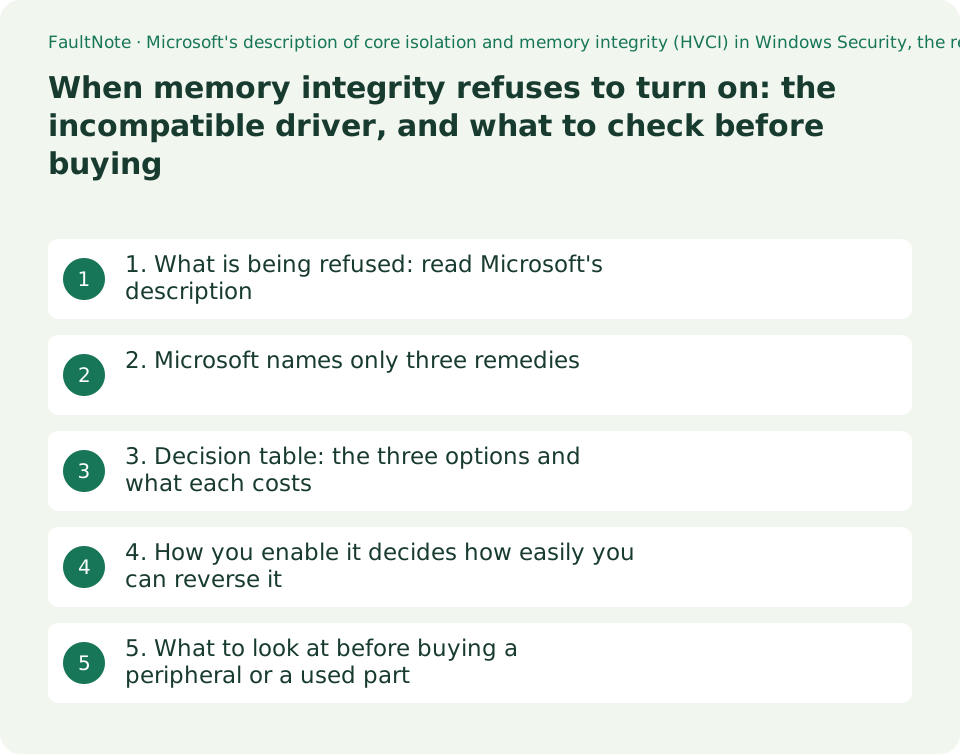
Who this guide is for and what to prepare
- Anyone who cannot turn on Memory integrity in Windows Security and is stuck on the incompatible-driver message
- Anyone deciding whether it is acceptable to leave memory integrity off, and what changes if they do
- Anyone who wants to gauge the driver-side risk before buying an older peripheral or a second-hand expansion card
What you need
- Confirm you can reach Windows Security > Device security > Core isolation details
- Write down the peripherals currently attached, and anything added later that brings its own driver: expansion cards, virtual drives, monitoring utilities and so on
- If the PC was issued by an employer or school, check first whether the setting is managed by organisational policy
1. What is being refused: read Microsoft's description
Start by being precise about why it is refusing. The Windows Security help describes memory integrity this way: "Memory integrity, also known as Hypervisor-protected Code Integrity (HVCI) is a Windows security feature that makes it difficult for malicious programs to use low-level drivers to hijack your PC." It is positioned as a feature about low-level drivers being misused.
The same page explains the mechanism with an analogy. It creates an isolated environment using hardware virtualization; a program that wants to run code which may be dangerous has to pass that code into the isolated environment to be verified, and only when it is judged safe is the code handed back to Windows to run. So when something does not pass verification, the fact that the feature will not switch on is not the feature failing — it is the feature working.
The prerequisites are on the same page: "To use memory integrity, you must have hardware virtualization enabled in your system's UEFI or BIOS." If the toggle is not there at all, that is the first thing to look at. The page also notes that what the core isolation page shows will "vary depending on what version of Windows you're running, and the hardware components installed." Different people seeing different items is normal.
The warning itself is documented as well. Microsoft writes "Beginning with Windows 11 22H2, Windows Security shows a warning if memory integrity is turned off." The indicator also appears on the Windows Security icon in the taskbar and in the notification centre, and the user can dismiss the warning from within Windows Security. So the warning you see when you leave it off is behaviour added in 22H2, not a sign that the PC is breaking.
2. Microsoft names only three remedies
On the incompatible-driver message, Microsoft's help says: "If memory integrity fails to turn on, it may tell you that you have an incompatible device driver already installed. Check with the manufacturer of the device to see if they have an updated driver available. If they don't have compatible driver available, you might be able to remove the device or app that uses that incompatible driver."
Three options can be read out of that. First, ask the device maker whether an updated driver is available. Second, if no compatible driver is provided, remove the device or app that uses the incompatible driver. Third, if neither, do not turn the feature on. Microsoft names no other workaround on that page.
The same page also flags what happens after you turn it on: "If you try to install a device with an incompatible driver after turning on memory integrity, you might receive the same message." Adding a device with an incompatible driver after enabling can produce the same message, and the same advice applies. That bears directly on buying. Adding an older device to a PC where the feature is already on can leave you with a choice between the device not working and giving up memory integrity.
This guide does not describe disabling signing or bypassing verification. Microsoft does not describe it, and it would defeat the purpose of the feature. What this site can offer is material for choosing between the three options above.
3. Decision table: the three options and what each costs
Here are the three options with the wording they rest on. The "stated basis" column quotes the page where that treatment is written.
Scroll horizontally to see the full table →
| Option | What you do | Cost and caveats | Stated basis |
|---|---|---|---|
| Look for an updated driver | Ask the device maker whether a compatible updated driver exists | There may not be one. The older the product, the less to expect | "Check with the manufacturer of the device to see if they have an updated driver available." |
| Remove the device or app | Take out the device or application using the incompatible driver | You lose the use of that device. Isolating which one it is takes work | "you might be able to remove the device or app that uses that incompatible driver" |
| Do not turn it on (leave it off) | Run with memory integrity off | From 22H2, Windows Security shows a warning. The warning can be dismissed in the app | "Beginning with Windows 11 22H2, Windows Security shows a warning if memory integrity is turned off." |
| Checking before adding a new device | With memory integrity on, confirm support before adding anything that brings its own driver | The same message can appear after the device is added | "If you try to install a device with an incompatible driver after turning on memory integrity, you might receive the same message." |
| A PC managed by an organisation | Ask the administrator before changing the setting | Where policy has enabled it, the user may not be able to switch it | The Learn page documents enabling it through Group Policy and Intune |
4. How you enable it decides how easily you can reverse it
This is the point worth knowing in advance. Memory integrity can be enabled by more than one method, and the method changes whether you can turn it off later.
Describing the Group Policy route, Microsoft's Learn page says: "Under Virtualization Based Protection of Code Integrity, select Enabled without UEFI lock. Only select Enabled with UEFI lock if you want to prevent memory integrity from being disabled remotely or by policy update. Once enabled with UEFI lock, you must have access to the UEFI BIOS menu to turn off Secure Boot if you want to turn off memory integrity." Enabled with a UEFI lock, turning it off later requires access to the UEFI BIOS menu to turn off Secure Boot.
The same page states the risk of enabling at all, in its opening warning: "Some applications and hardware device drivers may be incompatible with memory integrity. This incompatibility can cause devices or software to malfunction and in rare cases may result in a boot failure (blue screen)." It adds that such issues may occur after memory integrity has been turned on or during the enablement process itself, and recommends "We recommend that you enable these features on a group of test computers before you enable them on users' computers." On a personal PC, simply not flipping the switch immediately before important work is worth something.
The route back from a machine that will not boot is on the same page too: first disable any policies used to enable VBS and memory integrity, then recover through the Windows Recovery Environment (Windows RE). This guide does not reprint the specific command sequences. This site has not reproduced the procedure on hardware, and the steps vary by environment. A reader who needs them should go to the Microsoft page above directly.
There is a safe way to check the current state. The same page explains that running msinfo32.exe from an elevated PowerShell session displays the VBS features at the bottom of the System Summary section. It only reads; it changes no setting.
5. What to look at before buying a peripheral or a used part
This feature bears on a purchase when you are adding something that needs its own driver. Not a mouse or keyboard that runs on a generic USB class driver, but the kind of product that installs its own kernel-mode driver: expansion cards, professional measurement equipment, older external devices, virtual drives and utilities that take control of devices.
Three things you can do before buying. First, look at the maker's download page and see whether that driver has been updated for a current version of Windows. Where the last update date is old, do not assume highly that a new one is coming. Second, check whether the same product page states which operating systems it supports. Third, check in advance whether memory integrity is on on the PC you are using. Adding an older device to a machine where it is on can run into the same message, as above.
Performance is not covered in this guide. Microsoft's page does state that memory integrity works better with Intel Kabylake and higher processors with Mode-Based Execution Control, and AMD Zen 2 and higher processors with Guest Mode Execute Trap capabilities, and that older processors rely on an emulation of these features, called Restricted User Mode, and will have a bigger impact on performance. The page gives no figures for how much. This site therefore offers no number for the performance cost of enabling it.
Finally, how to frame the decision. Being unable to turn memory integrity on does not by itself mean you are in immediate danger, and it does not mean it is fine to ignore. The routes Microsoft sets out are to look for an update, to remove the thing, or to leave it off. Which one to choose is decided by how much you need that device — a condition you can answer yourself, without waiting for a maker's document.
0Limitations and requirements
- The "incompatible driver" message is not a fault. Memory integrity is a mechanism for not running code that fails verification, and refusing is the designed behaviour.
- The remedies Microsoft names are checking for an updated driver, removing the device or app that uses it, and not turning the feature on. Methods for bypassing signing or verification are not covered here.
- Enabled with a UEFI lock, turning memory integrity off later requires the UEFI BIOS menu and turning off Secure Boot, as Microsoft states explicitly. How easily you can reverse it is decided when you choose the method of enabling.
- Microsoft warns that incompatible applications and drivers can cause devices or software to malfunction and in rare cases a boot failure (blue screen). Do not switch this immediately before important work.
- Windows Security showing a warning when memory integrity is off is behaviour from Windows 11 22H2 onwards. It is not a sign of a fault.
- No hands-on testing was carried out for this guide. Microsoft's page gives no figure for the performance impact of enabling the feature, so this site gives none either.
Frequently asked questions
Is it all right to leave memory integrity off?
This guide does not rule on that. What can be stated as fact is that Microsoft positions the feature as a security feature that makes it difficult for malicious programs to use low-level drivers to hijack a PC, and that from Windows 11 22H2 onwards Windows Security shows a warning when it is off. The page also says that warning can be dismissed within the app. The decision comes down to how much you need the device whose driver is involved.
I cannot tell which driver is the problem. How do I find it?
Microsoft's help says you may be told that an incompatible device driver is already installed, and directs you to check with the device maker for an updated driver. If none is provided, it says you might be able to remove the device or app that uses the incompatible driver. In practice, start by writing down devices you added later and utilities that bring their own driver. To check the current state only, the Microsoft page describes running msinfo32.exe from an elevated PowerShell session and reading the VBS entries at the bottom of the System Summary.
Is it safe to add an older peripheral after turning it on?
You may hit the same message. Microsoft writes "If you try to install a device with an incompatible driver after turning on memory integrity, you might receive the same message." and says the same advice applies. If you plan to add something that needs its own driver, the reliable move is to check the maker's download page before buying and confirm that a driver is offered for a current version of Windows.
The toggle is not shown on my work PC. Is it broken?
Not necessarily. Microsoft's help notes that the items shown on the core isolation page vary with the version of Windows and the hardware installed. The Learn page also documents enabling Hypervisor Enforced Code Integrity through Intune and Group Policy. On a managed device, the setting may be decided by policy. Ask your administrator before trying to change it.
Will turning it on make the machine slower?
This guide gives no figure for how much. Microsoft's Learn page states that memory integrity works better with Intel Kabylake and higher processors with Mode-Based Execution Control and AMD Zen 2 and higher processors with Guest Mode Execute Trap capabilities, and that older processors rely on an emulation called Restricted User Mode and will have a bigger impact on performance. The page carries no figure for the size of that impact, and this site has made no measurement of its own.
Sources and verification date
Sources checked: . These sources support the specifications, procedures or prices discussed here. Check each source for applicable conditions and current information.
- Microsoft: Device security in the Windows Security app. Carries "Memory integrity, also known as Hypervisor-protected Code Integrity (HVCI) is a Windows security feature that makes it difficult for malicious programs to use low-level drivers to hijack your PC.", "To use memory integrity, you must have hardware virtualization enabled in your system's UEFI or BIOS.", "If memory integrity fails to turn on, it may tell you that you have an incompatible device driver already installed. Check with the manufacturer of the device to see if they have an updated driver available. If they don't have compatible driver available, you might be able to remove the device or app that uses that incompatible driver.", "If you try to install a device with an incompatible driver after turning on memory integrity, you might receive the same message.", and the note that the features exposed on the core isolation page vary depending on the version of Windows and the hardware components installed. Read 2026-09-20 ↗
- Microsoft Learn: Enable virtualization-based protection of code integrity. Applies to Windows 11, Windows 10 and Windows Server 2022/2019/2016. The opening warning carries "Some applications and hardware device drivers may be incompatible with memory integrity. This incompatibility can cause devices or software to malfunction and in rare cases may result in a boot failure (blue screen)." and "We recommend that you enable these features on a group of test computers before you enable them on users' computers."; the Group Policy section carries "Only select Enabled with UEFI lock if you want to prevent memory integrity from being disabled remotely or by policy update. Once enabled with UEFI lock, you must have access to the UEFI BIOS menu to turn off Secure Boot if you want to turn off memory integrity." and "Beginning with Windows 11 22H2, Windows Security shows a warning if memory integrity is turned off."; the processor note reads "Memory integrity works better with Intel Kabylake and higher processors with Mode-Based Execution Control, and AMD Zen 2 and higher processors with Guest Mode Execute Trap capabilities."; and the page describes checking with msinfo32.exe. Read 2026-09-20 ↗
Related practical guides
- Measure Laptop Battery Wear: Reading the Windows Battery Report and Deciding When to Replace
- Will your old printer work on Windows 11? Microsoft's printer-driver end-of-servicing dates, and what the IPP class driver covers
- Check PC-Part Compatibility Before Buying: CPU, BIOS, RAM, Case and Power
- Air cooler or AIO? Choose by case clearance, noise and maintenance
- PCIe 4.0 or 5.0 SSD for gaming? Check load times, capacity and slot sharing
- DDR4 vs. DDR5: Choose for a New Build, Reused RAM and Upgrade Cost