Troubleshoot 193 in AMD Software: Adrenalin Edition
What to do first
For AMD Installer Error 193, remove the failed installer and download a fresh package for the target GPU from AMD. Run the new local copy and check whether the same code returns.
This is a general troubleshooting guide, not an announcement of a current outage.
Affected products and symptoms
- Product
- AMD Software: Adrenalin Edition
- Versions and conditions
- Windows 10 / 11
- Error codes and identifiers
- 193
Symptoms
- The operation fails with 193.
- The same failure is reproducible in AMD Software: Adrenalin Edition.
Causes and conditions
Required installation files are missing or corrupted.
Before you start
- Close applications and record the exact PC or GPU model, Windows build, current driver version, and complete error.
- For a laptop or branded PC, check its model support page and obtain a recovery OEM driver before making changes.
Precautions
- Use signed GPU or PC-maker packages, not unofficial drivers, individual DLL downloads, or registry tools.
- Do not open a laptop or bulk-remove a healthy multi-GPU configuration that includes integrated graphics.
Tools and official pages used in this guide
Select the exact product and OS. Do not substitute a latest generic driver when an OEM, legacy, rollback, or fixed version is required.
Step-by-step instructions
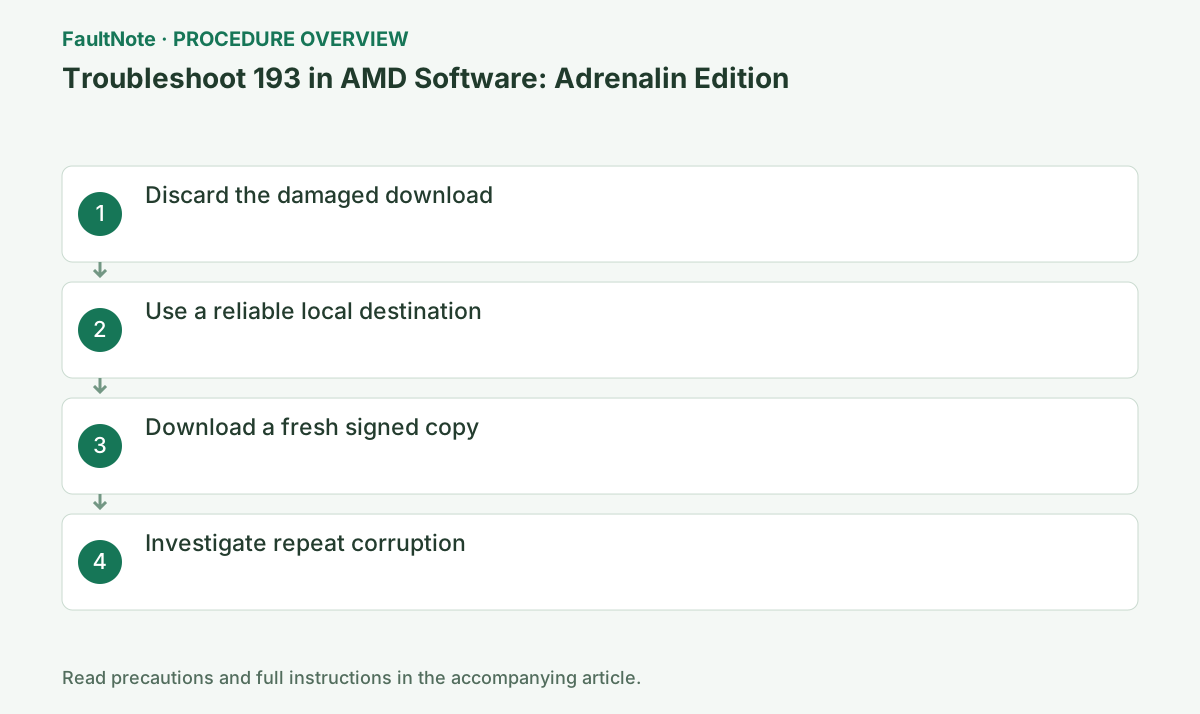
Close setup and delete the installer that produced 193; do not repeatedly run the same file.
Record the complete code, AMD Software version, and GPU name from the same session. If the code changes, stop using this guide and move to the official article for the new code.
Record the failed filename and source, then save a fresh matching full package from AMD. Wait for browser completion and avoid partial downloads or setup files from an older extraction.
If Digital Signatures is available in file properties, inspect publisher and validation status. A signature does not establish GPU compatibility; also check products and OS. Review security quarantine history for removed files.
Confirm free space and write access. Avoid running directly from a sync folder, removable drive, or network share.
On an OEM PC, check the model support page before choosing AMD's generic package. Switchable graphics, integrated GPUs, and handhelds may require an OEM build, so preserve the current version and recovery package.
Retain download completion, file properties, extraction messages and the time 193 appears. An incomplete download, an extraction read error and a file disappearing afterwards lead to different checks. This classification narrows candidates; the code alone does not identify one cause.
If changing to writable local storage, use a fresh copy of the same official package and record the change. Changing version and destination together obscures the improvement. If repeated corruption accompanies read errors in other files, retain storage symptoms rather than repeatedly repairing drivers alone.
Select the exact GPU and Windows version on AMD's site, wait for completion, inspect the digital signature, and run the new local copy.
Close games, recording, GPU monitoring, and other installers. Wait for completion or a specific new code; temporary display flicker can occur, so do not power off during setup.
Official links for this step
- AMD Drivers and Support
Select the exact product and OS. Do not substitute a latest generic driver when an OEM, legacy, rollback, or fixed version is required.
Check before continuingThe official page or signed package for AMD Drivers and Support opens and its product/version conditions match this device.
- AMD Drivers and Support
If the fresh copy fails at the same point, inspect storage health, security-product quarantine history, and the event time.
After restart, open Device Manager > Display adapters > target GPU > Properties > Driver and verify provider/version. If it is not the intended state, preserve Installer.log instead of repeatedly rerunning setup.
Check before continuingDecision: If the fresh copy fails at the same point, inspect storage health, security-product quarantine history, and the event time. After restart, open Device Manager > Display adapters > target GPU > Properties > Driver and verify provider/version. If it is not the intended state, preserve Installer.log instead of repeatedly rerunning setup.
If a fresh official package still produces 193, record whether downloading, extraction or installation stops. Investigate separate space, security-block or storage-read errors according to their actual evidence.
Do not replace individual installer files from unofficial sites. Give AMD the package name, URL, failure time and the actual Installer.log file when seeking help.
Check before continuingIf a fresh official package still produces 193, record whether downloading, extraction or installation stops. Investigate separate space, security-block or storage-read errors according to their actual evidence.
If security quarantine contains package components, check source, signature and supported product. An AMD-like filename is not sufficient reason to restore or exclude a file. Give managed-security administrators detection name and failure time. Without a matching block, disabling all protection does not establish causality.
After repair, check completed extraction and installation and the version after restart, not just absence of 193. If a fresh package fails at the same stage, give AMD URL, package, destination, stage and Installer.log. Use a complete official set rather than mixing DLLs or setup components from different releases.
The AMD article gives the default log path C:\Program Files\AMD\CIM\Log\Installer.log. If absent, inspect CIM\Log for a log matching this attempt and record its actual filename. If none is found, state that no log was obtained and preserve the package name, error screen and attempt time for support.
Check the result
- 193 no longer appears and the operation completes.
- The selected version and settings remain after restart.
- A second test shows no new display, input, save, or synchronization problem.
If the problem continues
- Restore reversible settings from the notes and escalate without deleting user data.
- Prefer the PC maker or administrator procedure for OEM drivers and managed networks.
- Protect account names, tokens, and save contents before sharing logs.
Scope of this guide
Troubleshooting guide — A general diagnostic guide based on official support. It does not claim a current incident or a version-specific fix.
Frequently asked questions
Will moving the same file to another folder fix it?
No. Obtain a fresh official copy because the source file may itself be incomplete or corrupt.
Should I disable antivirus?
Do not disable it permanently. Review quarantine history and ask an administrator about a signed AMD file on managed devices.
Can I repair this by downloading the missing DLL separately?
Avoid unofficial individual DLL downloads. Fetch the supported full package again and inspect logs if missing files recur.
Does success in another folder prove SSD failure?
No. Permissions, synchronization, security and free space may also differ. Record changed conditions and separate read errors; a hardware failure conclusion needs more evidence.
Official sources and dates
- Error 193 – AMD Software Installer Cannot Continue Because Required Files Are Missing or Corrupted ↗
Source publication or resolution date: Not specified. Sources checked: 2026-10-13. The check date is not the date the problem first occurred. Interface labels can vary between versions and display languages.
Related troubleshooting guides
AMD Radeon / Adrenalin errors and troubleshooting →
- Smart Access Memory becomes disabled after installing Adrenalin 26.8.1
- Clean and reinstall the graphics driver with AMD Cleanup Utility
- Troubleshoot 173 in AMD Software: Adrenalin Edition
- Troubleshoot 174 in AMD Software: Adrenalin Edition