Microsoft Changjie IME Input Fails After KB5062552
What to do first
The Microsoft Changjie input error will be fixed in KB5062663 or later for Windows 11 23H2. Use the previous IME version only until the device can be updated.
Affected products and symptoms
- Product
- Windows
- Versions and conditions
- Windows 11 23H2 and Windows 11 22H2 Enterprise/Education after KB5062552. The KB5062663 preview fix is listed for 23H2; do not install that package on 22H2 or another Windows version.
- Error codes and identifiers
- KB5062552KB506266322621.562422631.562422631.5699
Symptoms
- Unable to create or select a word after entering a complete character structure
- space key doesn't respond
- Character output is incorrect or corrupted
- Conversion candidate window is not displayed correctly
Causes and conditions
Microsoft Changjie IME defect due to July 2025 Windows security update KB5062552. Limited to devices using Traditional Chinese and selecting Changjie IME.
Before you start
- Switch the current input language to Chinese (Traditional) and check if you are using Microsoft Changjie
- Check KB5062552 and subsequent updates in Update History
- Save frequently used strings for verification
Precautions
- The old version of IME is treated as a temporary workaround.
- Do not manually apply KB5062663 to another OS
Tools and official pages used in this guide
Confirm the documented symptoms and the linked corrective update.
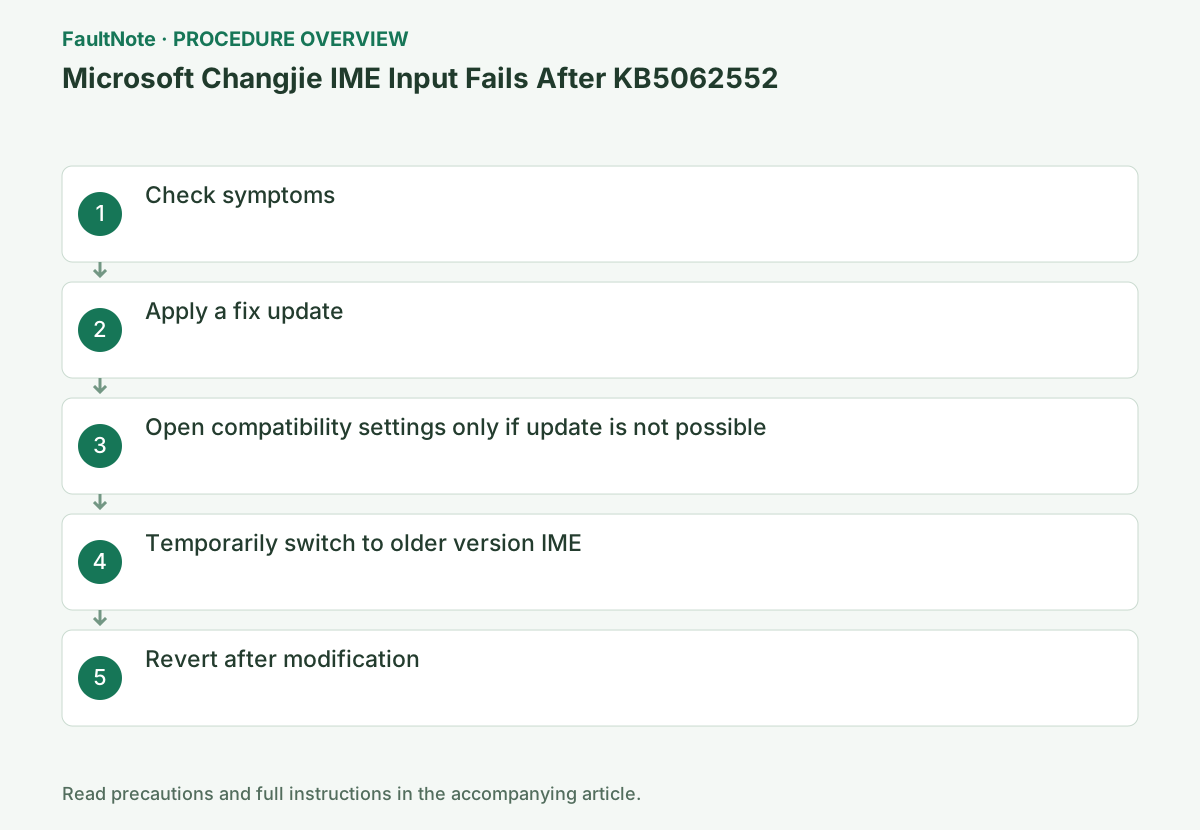
Step-by-step instructions
Record which of the candidates, space key, character output, and candidate window collapses after complete character construction.
Select Microsoft Changjie in Win+Space and try known input columns in Notepad. Candidate selection, space, character conversion confirmation, and candidate window are recorded separately.
Check before continuingJudgment: Record whether candidate selection after composing a character, the Space key, character output, or the candidate window fails. Select Microsoft Changjie in Win+Space and try known input columns in Notepad. Candidate selection, space, character conversion confirmation, and candidate window are recorded separately.
On 23H2, install KB5062663 or later from [Settings] > [Windows Update] and restart. For other OSes, install the latest update available for that OS.
Check Update History to confirm that KB5062663 or later was successful, and compare the same test text with the same IME settings after rebooting.
Check before continuingVerdict: On 23H2, install KB5062663 or later from [Settings] > [Windows Update] and restart. For other OSes, install the latest update available for that OS. Check Update History to confirm that KB5062663 or later was successful, and compare the same test text with the same IME settings after rebooting.
Open [Settings] > [Time and language] > [Language and region] > [Traditional Chinese] > [Language options] > [Microsoft Changjie] > [Keyboard options].
Open the three-dot menu on the right side of Microsoft Changjie > [Keyboard Options]. Use compatibility settings only on devices that cannot be updated, and do not delete the dictionary.
Official links for this step
- KB5062552: Microsoft Changjie IME
Confirm the documented symptoms and the linked corrective update.
Check before continuingVerdict: Open Settings > Time & Language > Language & Region > Traditional Chinese > Language Options > Microsoft Changjie > Keyboard Options. Open the three-dot menu on the right side of Microsoft Changjie > [Keyboard Options]. Use compatibility settings only on devices that cannot be updated, and do not delete the dictionary.
- KB5062552: Microsoft Changjie IME
Turn on [Use previous version of Microsoft Changjie] and check the suggested string and spaces.
Turn on the old version in the compatibility item in [General] and reopen the input field. If the candidate and character conversion confirmation are normal, record it as a temporary workaround.
Check before continuingVerdict: Turn on [Use previous version of Microsoft Changjie] and check the suggestions and spaces in the string you saved. Turn on the old version in the compatibility item in [General] and reopen the input field. If the candidate and character conversion confirmation are normal, record it as a temporary workaround.
After installing the corrective update, turn off the use of the old version on the same screen and reconfirm with the current IME.
After installing the corrective update, turn off the old version switch and retest the same input string with the current IME. If there is no improvement, save the OS build and IME settings.
When checking the results, do not switch between the old and current versions while typing; select one and reopen the input field. If compatibility items are managed on the organization device, report to the administrator without requesting changes.
Check before continuingVerdict: After installing the corrective update, turn off the use of the old version on the same screen and recheck with the current IME. After installing the corrective update, turn off the old version switch and retest the same input string with the current IME. If there is no improvement, save the OS build and IME settings.
Check the result
- Candidate window, spaces, and confirmed characters become normal
- KB5062663 or later is displayed in the update history
If the problem continues
- If the problem persists in the old version, try another app and pass the input example and app name to the administrator.
- If there is no setting item, check the language function update and OS version.
Fix status
Resolved — Microsoft lists this issue as fixed in the July 22, 2025 preview KB5062663 for Windows 11 23H2 (22631.5699). Install the latest applicable cumulative update offered for your supported Windows version. The current KB page does not list 22H2 as an applicable version; on 22H2, plan an upgrade to a supported Windows version rather than manually installing the 23H2 package.
Frequently asked questions
Is it okay to leave compatibility settings on forever?
This is a temporary measure until the fix is updated. After updating, turn it off and check the current IME.
Does it affect other people besides Changjie?
This known issue applies to Microsoft Changjie. Investigate a different IME as a separate cause.
Official sources and dates
- July 22, 2025—KB5062663 (OS Builds 22631.5699) Preview ↗
- Windows release health ↗
- Recovery options in Windows ↗
- July 8, 2025—KB5062552 (OS Builds 22621.5624 and 22631.5624) ↗
Source publication or resolution date: 2025-07-22. Sources checked: 2026-09-06. The check date is not the date the problem first occurred. Interface labels can vary between versions and display languages.
Related troubleshooting guides
Windows errors and troubleshooting →